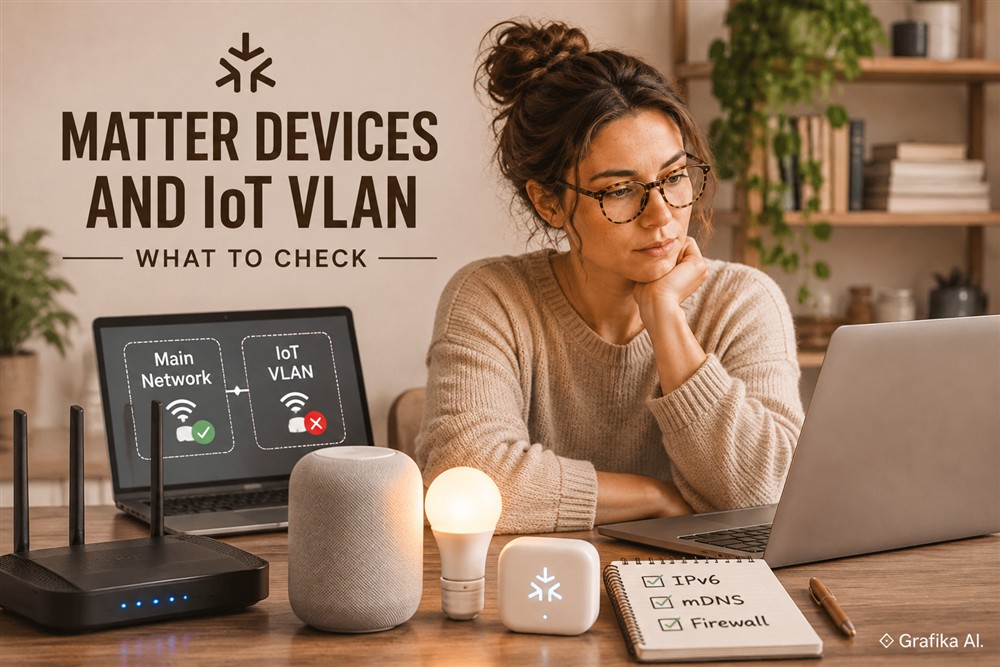
A Matter device that works perfectly on the main network but becomes unavailable after being moved to an IoT VLAN is usually suffering from a network segmentation problem, not a device compatibility issue. The difference matters: Matter relies on IPv6 communication and DNS-based service discovery, both of which can behave differently once devices and controllers are separated into VLANs.
On the main LAN, a phone, smart home hub and accessory often share the same Layer 2 network. They can discover one another through multicast traffic and communicate using link-local IPv6 addresses. An IoT VLAN introduces a router, separate IP prefixes and firewall policies between those components. Standard routing does not automatically forward the multicast traffic Matter needs, while IPv6 link-local addresses cannot be routed between VLANs.
The result is familiar: a device appears during initial setup but cannot be commissioned, disappears from the controller, or responds intermittently after installation. Fixing the problem requires identifying which part of the communication path is failing rather than opening random firewall ports.
Identify Whether the Problem Is Discovery, IPv6 Routing or Firewall Filtering
The first diagnostic step is to establish exactly when the device stops working. Matter networking involves several separate operations, and each failure points towards a different configuration problem.
Start by identifying three components:
-
Matter accessory: The Wi-Fi or Ethernet device connected to the IoT VLAN, or a Thread device connected through a Thread Border Router.
-
Matter controller: The device responsible for commissioning and controlling accessories, such as an Apple Home hub, Google Home hub, Amazon Echo or Home Assistant controller.
-
Commissioning device: Usually the smartphone running the ecosystem application.
Check which VLAN each component occupies. Do not assume that the smartphone and the permanent Matter controller are on the same network simply because they belong to the same smart home.
A useful initial test is to temporarily connect one Matter Wi-Fi accessory and the commissioning smartphone to the same VLAN. If commissioning and local control work in that configuration, the accessory is probably functioning correctly. The next investigation should focus on inter-VLAN discovery, routing and firewall policies.
The distinction between discovery and operational communication is particularly important.
Matter uses DNS-Based Service Discovery (DNS-SD) to advertise and locate devices. On Wi-Fi and Ethernet networks, this normally relies on Multicast DNS (mDNS).
Two service types are especially useful during troubleshooting:
-
_matterc._udp— identifies devices available for commissioning. -
_matter._tcp— identifies already commissioned Matter devices available for operational communication.
A third service, _matterd._udp, is used for commissioner discovery.
On macOS, the built-in dns-sd utility can help identify whether the expected services are visible:
dns-sd -B _matterc._udpThis checks for commissionable devices. Put the accessory into commissioning mode before running the test.
For already commissioned devices, use:
dns-sd -B _matter._tcpOn Linux, equivalent checks can be performed with Avahi:
avahi-browse -rt _matterc._udpavahi-browse -rt _matter._tcpInterpret the results carefully:
-
If the device does not appear even when the test computer is connected to the IoT VLAN, investigate Wi-Fi isolation, multicast filtering and the accessory’s commissioning state.
-
If it appears on the IoT VLAN but not on the main network, investigate mDNS forwarding between VLANs.
-
If it appears on both networks but cannot be controlled, investigate IPv6 reachability, firewall rules and the advertised service endpoint.
A successful Bluetooth commissioning hand-off does not prove that the subsequent IP communication will work. Bluetooth Low Energy can assist with initial provisioning, but it is not a substitute for the IPv6 connectivity required during normal Matter operation.
Avoid factory-resetting every accessory at this stage. Removing devices from their Matter fabrics and repeating commissioning will not correct a missing IPv6 route or a blocked multicast service.
Verify IPv6 Connectivity and Configure the Firewall Correctly
IPv6 is not an optional enhancement for Matter. It is a fundamental part of the protocol.
A device might have an IPv4 address, respond to a ping and access the internet while still being unable to communicate correctly with its Matter controller. IPv4 connectivity alone does not establish that Matter networking is functional.
Both the main network and the IoT VLAN need working IPv6 configuration.
Check the IPv6 addressing first.
A properly configured network should provide the relevant devices with IPv6 addresses and the routing information needed to reach other Matter network segments.
For a segmented home or small-business network, Unique Local Addresses (ULA) are a practical option. They use the fc00::/7 address range, with locally assigned prefixes typically beginning with fd.
For example:
-
Main LAN:
fd12:3456:789a:1::/64 -
IoT VLAN:
fd12:3456:789a:2::/64
These are illustrative prefixes, not addresses that should be copied into an existing network without checking for conflicts.
Internet-routable IPv6 is not required for local Matter operation. What matters is that the local IPv6 prefixes are configured correctly and that the router can provide connectivity between the networks.
Check the following:
-
IPv6 is enabled on the router interfaces serving both VLANs.
-
Router Advertisements (RA) provide the appropriate IPv6 prefixes.
-
Devices can obtain usable IPv6 addresses through SLAAC or another supported configuration method.
-
The router has routes to both IPv6 prefixes.
-
Firewall policies do not block required IPv6 traffic.
-
Neighbor Discovery and essential ICMPv6 messages are not being filtered.
Do not rely exclusively on DHCPv6 lease information. Many devices configure their IPv6 addresses through SLAAC, so the absence of a DHCPv6 lease does not necessarily mean IPv6 is unavailable.
One particularly important detail is the difference between a link-local address and a routable address.
An address beginning with fe80:: is link-local. It works within the local network link, but routers do not forward it between VLANs. If a Matter device advertises only a link-local address to a controller on another subnet, the controller cannot use that address to establish normal routed communication.
Inspect the IPv6 AAAA records returned during DNS-SD resolution. A suitable routable ULA or global unicast address must be available for communication across VLAN boundaries.
Next, examine firewall rules and Matter ports.
One of the most common mistakes is creating a single rule allowing UDP port 5540 and assuming that all Matter traffic will now pass.
That is incomplete.
The relevant networking functions include:
| Function | Protocol or address | Purpose |
|---|---|---|
| mDNS discovery | UDP 5353 | Device and service discovery |
| IPv4 mDNS | 224.0.0.251 | IPv4 multicast discovery |
| IPv6 mDNS | ff02::fb | IPv6 multicast discovery |
| Matter group multicast | UDP 5540 | Group communication between Matter nodes |
| Matter operational communication | IPv6, UDP or TCP | Communication using the discovered service endpoint |
There is an important distinction between port 5540 and ordinary Matter unicast communication.
Port 5540 is the IANA-assigned port for Matter IPv6 multicast traffic. It is not a universal fixed destination port for every Matter connection.
Matter uses DNS-SD service records to advertise the IPv6 address and port of an operational endpoint. Consequently, a firewall rule restricted to UDP 5540 can still block legitimate unicast communication.
Recent Matter revisions also support TCP operational transport, so firewall policies should account for the actual transport and endpoint used by the implementation.
There is another potentially confusing detail: the _matter._tcp DNS-SD service name does not, by itself, prove that the application communication uses TCP. The service name is inherited from the DNS-SD naming convention.
For a segmented network, the firewall should provide:
-
Access from the relevant Matter controller or hub to the Matter devices.
-
Stateful return traffic for established connections.
-
The necessary IPv6 communication between the relevant network prefixes.
-
Appropriate handling of Matter multicast traffic if group communication must cross VLAN boundaries.
-
Access to the required discovery mechanism through an mDNS gateway or proxy.
A sensible security policy allows the controller to reach the required IoT devices without giving every IoT device unrestricted access to the main LAN.
For example, an OPNsense, pfSense, MikroTik RouterOS or UniFi gateway can be configured to apply more specific inter-VLAN policies instead of permitting unrestricted communication between entire subnets.
Do not solve the problem by allowing all traffic from the IoT VLAN to the main network. That removes much of the security benefit of segmentation and can expose computers, NAS devices and other infrastructure unnecessarily.
Also avoid blocking essential ICMPv6 traffic. Neighbor Discovery and IPv6 error messages, including Packet Too Big, are important for reliable communication. Filtering IPv6 as if it were simply another version of IPv4 can produce problems that are difficult to diagnose.
Configure mDNS Forwarding, Multicast Handling and Thread Border Routers
Even with correct IPv6 routing and firewall policies, Matter can still fail because device discovery does not cross VLAN boundaries.
This is where mDNS forwarding becomes important.
The standard mDNS multicast addresses are:
-
IPv4:
224.0.0.251 -
IPv6:
ff02::fb -
UDP port:
5353
The IPv6 address ff02::fb has link-local scope. Ordinary routers do not forward this multicast traffic between separate network links.
That explains why a device can be immediately visible when the controller and accessory share the main LAN but disappear after the accessory is moved into an IoT VLAN.
The usual solution is an mDNS reflector, Bonjour gateway or mDNS proxy configured to handle discovery between the required network segments.
Depending on the infrastructure, this functionality may be available directly on the router, firewall or managed network controller. It can also be implemented using software such as Avahi.
The configuration should account for the Matter service types:
-
_matter._tcp -
_matterc._udp -
_matterd._udp
Make sure the implementation handles IPv6 mDNS, not just IPv4 Bonjour traffic. Matter discovery relies on IPv6, and an IPv4-only multicast forwarding configuration is not a reliable solution.
A good implementation should also preserve the DNS-SD records required for service resolution, including PTR, SRV, TXT and AAAA records.
Do not assume that forwarding the initial discovery announcement is sufficient. The controller also needs the service endpoint information and a usable IPv6 address.
This is why an mDNS reflector alone cannot solve every VLAN-related Matter problem. It makes discovery information available across network boundaries, but it does not automatically create IPv6 routes or override firewall restrictions.
Check multicast handling on switches and access points as well.
Wi-Fi infrastructure introduces another possible failure point. Some access points and managed switches apply multicast optimisation to reduce unnecessary traffic.
Depending on the equipment, relevant options may include:
-
Wireless client isolation.
-
Guest network isolation.
-
Multicast filtering.
-
Multicast-to-unicast conversion.
-
Broadcast suppression.
-
IGMP snooping and MLD snooping.
These functions are not inherently incompatible with Matter. The problem arises when their configuration prevents discovery packets from reaching the intended clients.
For example, a Wi-Fi access point may allow a smartphone to communicate with the router while filtering multicast traffic between wireless clients. The result can look like an IPv6 routing problem even though the actual fault is at the wireless layer.
As a diagnostic test, temporarily disable client isolation and multicast filtering on the affected IoT SSID. If discovery starts working, reintroduce the security and optimisation features selectively.
Do not permanently disable multicast snooping across the entire network without understanding the consequences. Check that the relevant VLAN has correct IGMP or MLD handling and, where required, a functioning multicast querier.
A packet capture can help establish whether discovery traffic is reaching the right interface:
sudo tcpdump -ni <vlan-interface> 'udp port 5353 or udp port 5540'This captures mDNS and Matter group-multicast traffic on the selected interface. It does not capture every unicast Matter session, which may use another advertised port.
Thread devices require a separate diagnostic approach.
A Matter-over-Thread accessory does not connect directly to the Wi-Fi IoT VLAN. It communicates through a Thread mesh network, which is connected to the infrastructure network by a Thread Border Router (TBR).
Examples of Thread Border Routers include supported Apple Home hubs, Google Nest devices, Amazon Echo devices and compatible dedicated Thread Border Router implementations.
The Thread Border Router performs important networking functions:
-
Connects the Thread mesh to the infrastructure IPv6 network.
-
Provides IPv6 reachability between the Thread network and adjacent infrastructure.
-
Uses the Thread Service Registration Protocol (SRP) and DNS-SD proxy mechanisms to make Thread devices discoverable on the infrastructure network.
This means a Thread accessory might not appear as an ordinary DHCP client on the IoT VLAN. That is normal.
When troubleshooting Thread, inspect the Border Router first. Verify that it has working IPv6 connectivity, that the relevant Thread prefixes are routable, and that its discovery proxy can advertise Thread devices to the controller’s network.
If the Border Router sits on the main LAN while the controller is on the IoT VLAN, the required IPv6 routes and discovery mechanisms must work across that boundary.
Do not try to fix a Thread routing problem by simply enabling an mDNS reflector on the Wi-Fi VLAN. Thread uses a dedicated service registry and proxy architecture, and its IPv6 routing requirements still apply.
Finally, consider group communication. If individual Matter devices respond correctly but group commands or scenes fail, investigate IPv6 multicast routing for Matter group traffic. The mDNS reflector does not forward this separate category of traffic.
FAQ: Matter and IoT VLAN Troubleshooting
Does Matter require IPv6 even when a device has an IPv4 address?
Yes. Matter operational communication requires IPv6. IPv4 can coexist, but an IPv4 address alone does not satisfy the networking requirements. A local ULA prefix is sufficient; public internet IPv6 is not mandatory.
Is opening UDP port 5540 enough to make Matter work across VLANs?
No. Port 5540 is assigned for Matter IPv6 multicast. You also need mDNS discovery on UDP 5353, usable DNS-SD records, IPv6 routing and access to the advertised operational endpoints.
Can an mDNS reflector solve all Matter VLAN problems?
No. It forwards or proxies discovery information. It does not provide missing IPv6 routes, make link-local addresses routable or override firewall restrictions.
Should Matter devices and controllers be placed on the same VLAN?
That is generally the simplest configuration and often the most reliable option with consumer networking equipment. Separate VLANs can work, but they require properly configured IPv6 routing, discovery forwarding and firewall policies. If the router does not support these functions reliably, keeping the Matter controller and accessories on a shared trusted network is a more practical choice.
Do Thread devices need to be connected directly to the IoT Wi-Fi network?
No. Thread devices use a separate low-power IPv6 mesh. Their communication with the infrastructure network is handled by a Thread Border Router. Focus on the Border Router’s IPv6 connectivity and service discovery rather than looking for a conventional Wi-Fi connection.
Start troubleshooting with one Matter Wi-Fi accessory and one controller. First, test them on the same VLAN and verify discovery using dns-sd. Then inspect the advertised AAAA address and confirm that it is routable from the controller’s subnet. If discovery is missing, configure an IPv6-capable mDNS gateway. If discovery succeeds but commands fail, correct IPv6 routing and firewall rules before changing anything else. Do not begin by opening UDP 5540 indiscriminately or resetting the entire Matter installation. The first priority is to restore the complete discovery and IPv6 communication path while keeping the IoT VLAN properly isolated.