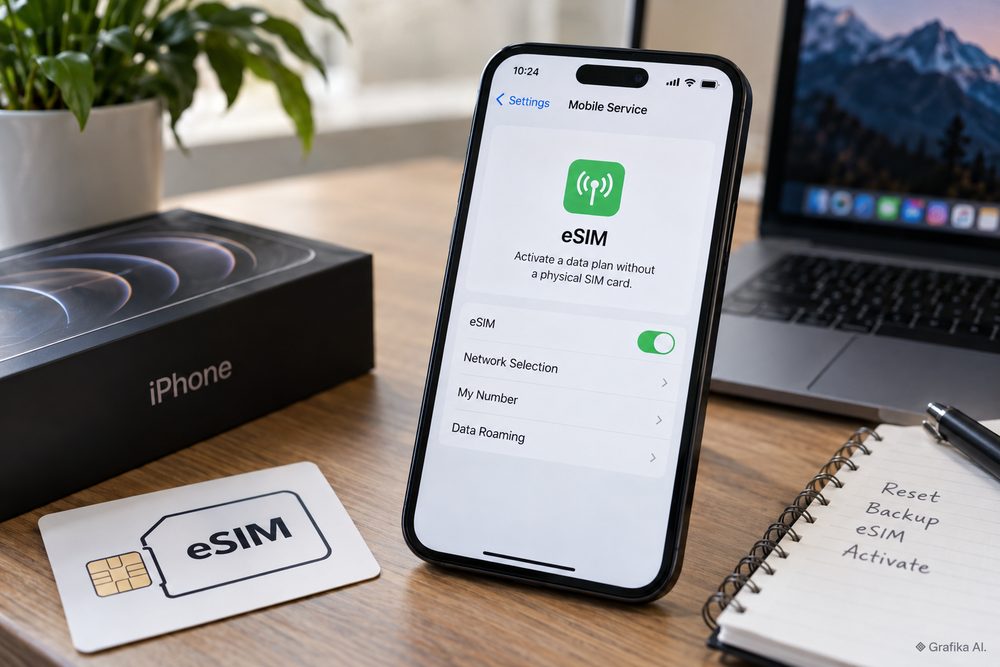
A phone can be wiped back to its factory state and still reconnect to the mobile network with the same eSIM. Another phone can go through what looks like the same reset and come back with no cellular plan at all. The difference is not random, and it is not simply an iPhone-versus-Android issue.
The key is to separate three things that users often treat as one: the eUICC hardware inside the device, the eSIM profile downloaded to that hardware, and the carrier’s rules for issuing or reissuing the profile.
A factory reset normally targets user data and system settings. An eSIM profile, however, lives inside a dedicated secure component and has its own deletion procedure. Whether the reset process sends that deletion command depends on the operating system, the reset method and sometimes the device manufacturer. And once a profile is deleted, getting the number working again is a carrier problem, not a backup problem.
That distinction matters particularly in Poland, where many operators use single-use activation codes and where replacing an eSIM can also trigger PESEL verification rules.
A factory reset does not erase the eUICC itself
The first misconception to remove is that an eSIM is simply a file stored next to your photos and apps.
It is not.
Modern eSIM-capable phones contain an eUICC — embedded Universal Integrated Circuit Card. This is a secure element designed to store one or more operator profiles. The physical eUICC normally remains part of the phone even after Android or iOS has been completely reset.
The EID, or eUICC Identifier, identifies that secure element. Under the GSMA consumer eSIM specification, the EID is represented as 32 decimal digits. It identifies the eUICC itself, not your telephone number and not one particular mobile subscription.
That is why a normal factory reset does not give the phone a new EID.
If the same physical eUICC remains in the handset, the EID remains associated with it. A motherboard or eUICC replacement during hardware repair is a different situation and can result in a different identifier.
Inside the eUICC sit individual eSIM profiles. Each profile contains the information required for the device to authenticate to a mobile operator. From a user’s perspective, several identifiers are worth distinguishing:
-
EID — identifies the eUICC hardware and is normally 32 digits.
-
ICCID — identifies an individual SIM/eSIM profile; GSMA specifications use a 19- or 20-digit representation.
-
IMSI — identifies the subscriber within the mobile network and is contained within the operator profile.
-
IMEI — identifies the phone’s cellular radio equipment; it is not an eSIM identifier.
-
telephone number — the service number assigned by the operator and should not be confused with any of the identifiers above.
This explains the apparently strange situation where a phone still shows its EID after the eSIM has been erased. Nothing is broken. The eUICC still exists; only the operator profile stored inside it has been removed.
The opposite can also happen. The operating system can be completely wiped while the eSIM profile remains inside the eUICC. After setup, the phone discovers the existing profile and reconnects to the carrier.
That is what people mean when they say an eSIM has “survived” a factory reset.
There is an important consequence: an EID is not an eSIM backup. Giving an operator the EID may help identify the device or provision a new profile, but knowing the EID does not recreate credentials that have already been deleted.
The same rule applies to a QR code. An eSIM activation QR code generally points the device toward the operator’s remote provisioning infrastructure and supplies activation information. It should not be treated like a reusable copy of the SIM. Polish operators commonly invalidate that activation path once the profile has been successfully downloaded.
This is where users get caught out. They keep a screenshot or PDF containing the QR code, delete the eSIM and assume they can scan the old code again. With several Polish operators, that assumption is wrong.
The reset path matters more than the words “factory reset”
On an iPhone, Apple makes the distinction unusually clear.
When using Settings > General > Transfer or Reset iPhone > Erase All Content and Settings, an eSIM-equipped iPhone can ask whether the user wants to keep the eSIM while erasing the device or delete the eSIM together with the other data.
For somebody resetting their own phone because iOS is unstable, an app is misbehaving or the device is being configured again from scratch, preserving the cellular profile is normally the sensible choice.
For somebody selling, trading in or giving the phone to another person, the correct choice is the opposite: erase the eSIM as well.
Leaving a working cellular subscription on a handset that is changing owners is a serious operational mistake.
Apple also explicitly advises against deleting an eSIM merely as a troubleshooting experiment unless the mobile operator tells the user to do it. There is a good reason. Restarting a phone costs nothing. Resetting network settings is reversible. Deleting a carrier profile can turn a five-minute connectivity problem into a SIM-replacement procedure.
Android requires more attention because there is no single reset interface shared by every manufacturer.
Google’s Android documentation treats factory-reset behaviour as partly manufacturer-specific and directs users to the handset maker’s instructions for device-specific procedures. Samsung likewise warns that menus and available options can depend on the model, software version and carrier.
That means screenshots from another Galaxy, Pixel or Xiaomi are not sufficient evidence that your own reset will behave identically.
Before confirming a reset, read the final screen. Look specifically for wording referring to:
-
eSIMs,
-
downloaded SIMs,
-
mobile plans,
-
erase SIMs,
-
or keep eSIMs.
If a separate eSIM option is shown, it is not cosmetic. It decides whether the reset procedure also requests deletion of the profiles stored in the eUICC.
The reset method matters too. A reset started normally from the Settings app is not necessarily equivalent to a recovery-mode wipe, remote enterprise-management command or lost-device erase. Managed Apple devices, for example, support dedicated controls governing whether cellular plans are preserved during some erase operations.
For a privately owned phone, the safest procedure is therefore simple: if preserving the eSIM matters, use the manufacturer’s documented reset route through Settings and inspect the final confirmation screen instead of performing a button-combination or recovery reset by habit.
Do not confuse a factory reset with a network reset either. Resetting Wi-Fi, Bluetooth or mobile-network settings is a different operation and should normally be tried much earlier when troubleshooting coverage or data problems.
If mobile service has stopped working, the practical order is:
-
restart the phone;
-
check whether the eSIM is enabled in the SIM manager;
-
verify which SIM is selected for mobile data and calls;
-
toggle airplane mode;
-
install pending system and carrier updates;
-
reset network settings if appropriate;
-
contact the operator if the profile is present but will not register;
-
delete the eSIM only when there is a confirmed reason and a known method of obtaining a replacement.
Deleting the profile at step two because “reinstalling might fix it” is one of the worst shortcuts in eSIM troubleshooting.
Carrier policy decides whether deleting an eSIM takes two minutes or ruins the afternoon
Once an eSIM profile has actually been erased, the operating system is no longer the main issue. The carrier’s provisioning policy takes over.
This is where two identical phones can produce completely different user experiences.
A carrier can allow automated eSIM transfer, issue a new profile through an app, require identity verification, make activation codes single-use or force the subscriber to visit a shop. Those are commercial and security decisions layered on top of the same underlying eSIM technology.
Current Polish practice illustrates the differences well.
T-Mobile Polska treats the QR code and activation code used for eSIM installation as single-use credentials. After the first successful profile download, they become inactive. If an eSIM is accidentally deleted, the subscriber needs a newly issued eSIM rather than simply scanning the original QR code. T-Mobile currently makes SIM/eSIM-to-eSIM exchanges free for the first five exchanges in a month; additional exchanges can be charged according to the subscriber’s tariff.
Play also states that its eSIM QR code can be scanned only once, and the device must have internet access during installation. That makes saving the QR image useful as documentation, but not as a reliable recovery method after the profile has already been consumed. Replacement procedures can be initiated through Play’s customer channels, including Play24 for supported operations, but fees for SIM replacement are not universally fixed across every tariff.
Plus takes an especially clear position: an installed eSIM profile cannot simply be installed again after deletion or moved to another phone. A new eSIM must be issued. Plus currently allows the first five requests for preparation of an eSIM profile free of charge within one billing period for postpaid customers or one calendar month for prepaid users. Requests beyond that threshold are charged according to the customer’s tariff. Plus also warns that three incorrect entries of the authorisation PIN during installation block the profile and require replacement. If an already installed profile has been deleted, its support information directs the subscriber toward obtaining a new eSIM rather than trying to recover the old one.
Orange Polska currently allows customers to manage SIM-to-eSIM replacement and device transfers through Mój Orange, and changing a physical SIM to an eSIM is advertised as free of charge. Selected devices bought directly from Orange can also receive an automatically installed eSIM. This reduces dependence on a paper QR code, although it still does not make intentional profile deletion a sensible troubleshooting step.
There is another Polish-specific issue that is easy to discover only after the old eSIM has disappeared.
Since 1 June 2024, telecommunications providers in Poland must check the PESEL reservation register before issuing a copy or duplicate of a SIM or its digital equivalent in the situations covered by the law. A customer with a reserved PESEL can therefore find that an urgent replacement eSIM cannot be issued until the reservation is temporarily lifted.
For somebody who normally keeps their PESEL reserved in mObywatel, the sensible sequence is:
-
check whether the operator actually needs to issue a replacement;
-
temporarily lift the PESEL reservation if the replacement process requires it;
-
complete the operator’s identity verification and eSIM exchange;
-
restore the PESEL reservation afterwards.
mObywatel also allows automatic re-reservation to be scheduled. Users should remember that consecutive changes to PESEL reservation status can be subject to a 30-minute interval, so this is not something to start experimenting with while standing at an airport gate with no working mobile line.
This regulatory step is useful protection against SIM-swap fraud, but it is an inconvenience when the legitimate owner has accidentally deleted an eSIM and needs a replacement immediately.
There is one more trap: the phone number usually remains active at the operator even when the local eSIM profile has been deleted. Removing the profile from the phone does not necessarily cancel the contract, terminate the tariff or stop monthly charges. The device has lost the credentials required to use the service; the subscription itself can continue normally in the operator’s billing system.
For that reason, three different actions must not be confused:
-
disable the eSIM — the profile stays installed but is temporarily inactive on the phone;
-
delete the eSIM profile — the credentials are removed from the eUICC and may require reissue;
-
cancel the mobile service — the contract or prepaid service is terminated through the operator.
When testing a second SIM, travelling or temporarily disabling a work number, use the first option. There is usually no reason to delete the profile.
The same caution applies before a repair. If a service centre replaces the motherboard, the original EID may disappear with the old hardware. In that situation, keeping the profile before the repair does not guarantee that it will still exist afterwards. Treat motherboard replacement as a potential eSIM migration event and make sure the carrier can issue or transfer the profile before handing over a phone that contains your only working number.
FAQ: factory resets, EIDs and eSIM recovery
Does a factory reset always delete an eSIM?
No. A factory reset can erase user data while leaving eSIM profiles stored in the eUICC. Some reset workflows offer a separate choice to preserve or erase cellular plans.
Does the EID change after a factory reset?
Normally, no. The EID identifies the eUICC hardware. It should remain the same as long as the same eUICC remains in the phone. Hardware replacement, particularly a motherboard replacement, is a different case.
Can the EID restore a deleted eSIM?
No. The EID identifies the secure eSIM component but does not contain a backup of your operator profile or its authentication credentials.
Can I scan my old QR code again after deleting the eSIM?
Do not assume so. T-Mobile Polska and Play explicitly use single-use activation credentials, while Plus says an erased profile cannot simply be installed again. Treat every carrier QR code as single-use unless your operator clearly states otherwise.
Will an iCloud or Google backup restore my eSIM?
Do not rely on a normal device backup as an eSIM recovery method. eSIM migration and provisioning use separate carrier and operating-system mechanisms. Keep access to your operator account and know how a replacement profile is issued.
Should I delete an eSIM when mobile data stops working?
Not as the first troubleshooting step. Check whether the line is enabled, restart the device, verify SIM selection, install updates and reset network settings where appropriate. Apple specifically advises users not to erase an eSIM for troubleshooting unless the carrier tells them to.
What should I do before selling the phone?
Transfer the number to the replacement device if necessary, confirm that it works there, and then erase both personal data and the eSIM from the old handset. Do not leave an active profile on a phone changing ownership.
What if I already deleted the eSIM and have no service?
First check whether the profile is genuinely absent from the phone’s SIM or cellular settings. If it is gone, stop performing additional resets. Start the operator’s eSIM replacement procedure. In Poland, also check whether your PESEL is reserved before requesting a duplicate or replacement profile, because that status can block issuance until it is temporarily changed.
The decision before any factory reset should therefore be made before pressing the final erase button. If you are keeping the phone, first confirm that the reset screen is set to preserve the eSIM and make sure you know your carrier’s replacement procedure in case something goes wrong. If you are selling or giving the device away, delete the profile deliberately. And if the eSIM has already disappeared, do not keep resetting the handset — check the SIM manager first, then the carrier’s reissue procedure and, in Poland, your PESEL reservation status. That is the fastest route back to a working number.